
Built
Public site + beta-fit intake
The public site includes the product story, trust boundaries, product tour, and a native beta application route. Applying does not create beta access; submissions receive founder fit review.
PacePilot gives paid media teams an operational control surface for client-approved budgets, cross-channel pacing risk, review ownership, and the quiet drift that ad platforms do not explain.
Calm when safe. Loud when risky. Clear about why.
Morning risk-to-review
Representative demo scenario
Pacing risk
Future Labs · Paid Search
of $50k approved budget
vs 86% expected
Risk summary
Forecasted over budget if current pace continues.
Delivery needs human review before the current pace continues.
WATCH mode · Human review remains in control · No campaign changes
Beta launch runway
PacePilot is more than a concept, but it is not a public self-serve product yet. We are turning the working governance core into a founder-reviewed beta for agencies managing real cross-client budget risk.
Cohort 01 applications
Open now. Beta timing follows readiness proof.
We will publish a launch window only after the first cohort date and operating gates are approved.
Apply for the first beta cohortBuilt
The public site includes the product story, trust boundaries, product tour, and a native beta application route. Applying does not create beta access; submissions receive founder fit review.
Working prototype
Client hierarchy, approved-budget context, pacing risk, ownership, guardrails, and review workflows exist beyond concept-stage mockups.
Candidate scaffolds
Microsoft, Reddit, Pinterest, TikTok, OpenAI Ads exports, and GA4 outcome overlays are being advanced without overstating live access.
Next gate
The first cohort opens only after isolation, provider-read, reconciliation, support, and recovery gates are evidenced.
The real pacing problem
It is the budget truth trapped inside it: client-approved commitments, insertion-order logic, cross-channel allocation, owner accountability, pacing expectations, and all the quiet exceptions that never fit cleanly inside ad platforms.
PacePilot turns that operational logic into a budget governance operating surface.
What surfaces first
Reporting makes you search for risk. PacePilot sorts operational budget risk to the top so managers can review the right client, channel, owner, and explanation first.
Clients forecasted to exceed approved budget
Underpacing accounts that need delivery review
Cross-channel imbalances before they compound
Unmapped spend outside the approved budget model
Stale or missing review ownership
Guardrail thresholds approaching before they become incidents
Platform coverage
Coverage labels describe product focus and status. They do not imply partnership, endorsement, or live integration availability.
On smaller screens, each row keeps its status and boundary copy together—no logo-only availability signal.
 Google Ads
Coverage and availability must be verified before public promotion. No platform write actions.
 Microsoft Advertising
Candidate connection scaffold; live support remains unverified.
 Meta Ads
Product focus does not imply a live Meta connection today.
 LinkedIn Ads
Reporting contract and proof scaffold; no live account access.
 TikTok Ads
Reporting contract and proof scaffold; no live account access.
 Reddit Ads
Reporting contract and proof scaffold; no live account access.
 Amazon Ads
Frontier research lane; no implemented reporting support.
 Pinterest Ads
Reporting contract and proof scaffold; no live account access.
Permissioned write actions
Not currently promisedOutside the current product promise until explicitly validated.
Automation boundaries
Explicit validation requiredAutomation requires separate validation and Approval.
Platform names and logos are trademarks of their respective owners.
Platform support radar
Every channel carries its real support status today — verified, scaffolded, in research, planned workflow, or not available — so the site never promises more than the product delivers.
Read and import connections verified in the product today.
Google AdsVerified read and import coverage.
A reporting or import contract, or bounded scaffold, exists; support is not yet verified.
Microsoft AdvertisingCandidate connection scaffold.
TikTok AdsReporting contract and proof scaffold; no live account access.
Reporting contract and proof scaffold; no live account access.
Reporting contract and proof scaffold; no live account access.
CSV normalization scaffold only; no public reporting API claimed.
Outcome-overlay contract only; no live property connection.
LinkedIn AdvertisingReporting contract and proof scaffold; no live account access.
Exploratory candidate lanes under active research, not available support.
Amazon AdsResearch and candidate lane.
Alert routing workflow patterns on the plan, not live integrations.
Planned alert routing workflow.
Planned alert routing workflow.
No implemented support today.
Meta AdsNot available today.
Platform names and logos are trademarks of their respective owners. References do not imply partnership, endorsement, or live integration availability.
PaceDeck
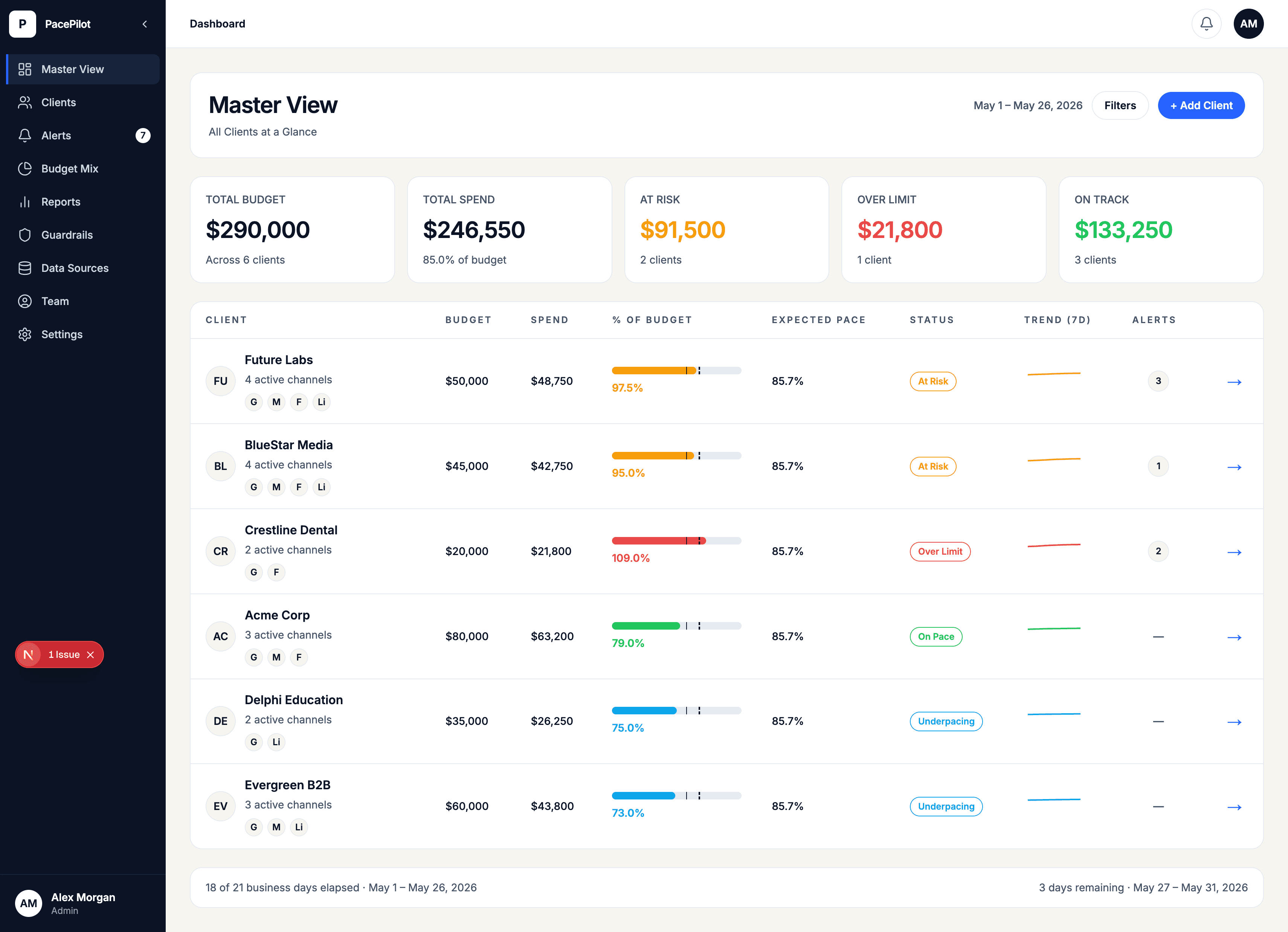
Move from roster-level triage to client, mix, campaign group, and campaign-level review without losing the approved-budget context.
Spot portfolio risk
Open client context
Check Budget Mix Lens
Review campaign groups
Drill into campaign cause
Move from portfolio risk to campaign-level cause without losing budget context.
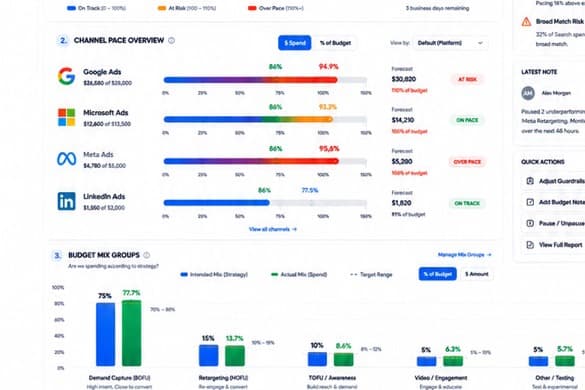
Budget Mix Lens
Budget Mix Lens compares actual delivery against the approved allocation plan, so teams can catch cross-channel imbalance while there is still time to review it calmly.
Campaign coverage
PacePilot frames campaign types as budget visibility patterns, not automated writebacks. The goal is earlier review context across common PPC delivery shapes.
Alerts and notifications
PacePilot should route attention with enough context for a manager to act, without implying automated platform changes or live chat integrations before they are proven.
Alert context
Separate watch, warning, and urgent budget conditions so every alert does not feel the same.
Alert context
Attach account owner and team lead context to the issue before it becomes a client escalation.
Alert context
Show the next human review step and client-safe explanation instead of just sounding an alarm.
Alert context
Built for alert routing patterns, including planned Slack and Microsoft Teams workflows where teams already review risk.
Slack and Microsoft Teams framing
PacePilot is framed around planned alert workflows and routing patterns for tools such as Slack and Microsoft Teams, with live integration availability kept separate from the current core promise.
Team lead supervision
Supervise account-owner review load, stale pacing checks, and escalation risk before the client asks why spend drifted.
Account owners manage pacing
PacePilot flags stale reviews and spend drift
Team lead sees what needs attention first
Client-safe explanation is ready before escalation
The lead sees risk before the client does.
Which clients have a named reviewer and which reviews are stale.
Which budget issues deserve team lead attention first.
What changed, why it matters, and what the client-safe explanation should include.
Control modes
Start with full manual oversight, layer in guided assistance, and grow into guardrailed automation only when the system, permissions, and team trust are ready.
WATCH MODE
Core pacing surface
Monitor budgets, risk, owners, and pacing explanations without platform write actions.
COPILOT MODE
Approval-ready context
Stage review paths, recommended checks, and client-safe explanations for human approval.
AUTOPILOT MODE — FUTURE
Future roadmap
Automation only when permissions, audit logs, explicit guardrails, and team trust are ready.
Early access
Join the early access list if your team manages multiple client budgets and wants a calmer way to catch overpacing, underpacing, unmapped spend, allocation drift, and budget risk before it becomes a client problem.